
In the waiting area, a screen is available to display the day's appointments.
You can create a new iziflo login specifically for these displays.
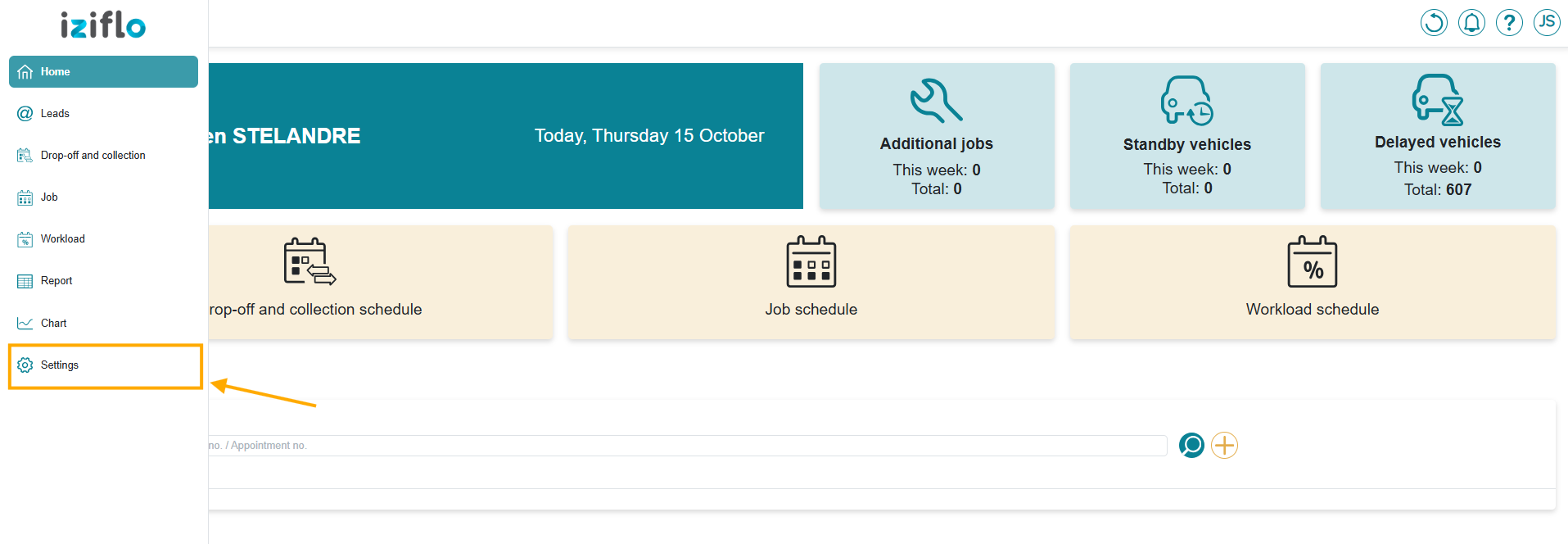
On the left-hand side of your interface, click on SETTINGS in the menu.
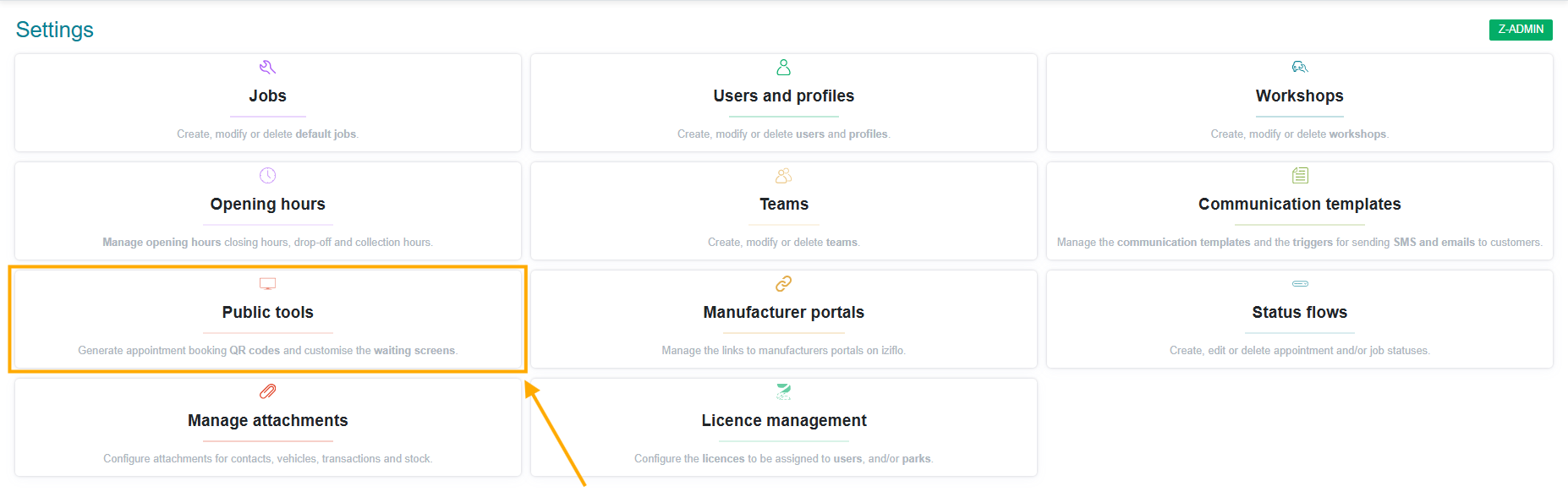
Then, open the "Public Tools" menu allowing you to manage all the technician and waiting-room screens.
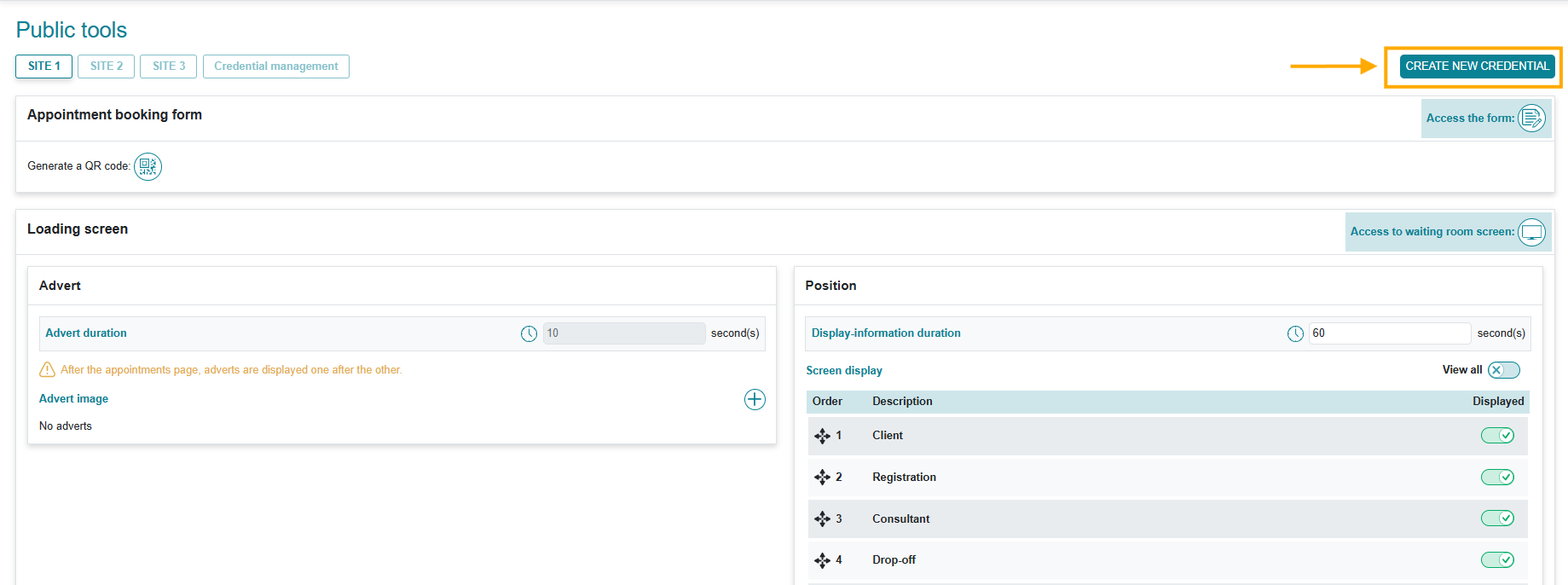
By clicking on CREATE NEW CREDENTIAL, you can manage login credentials, categorized by display type (technician or waiting area).
Select they type "Loading screen":
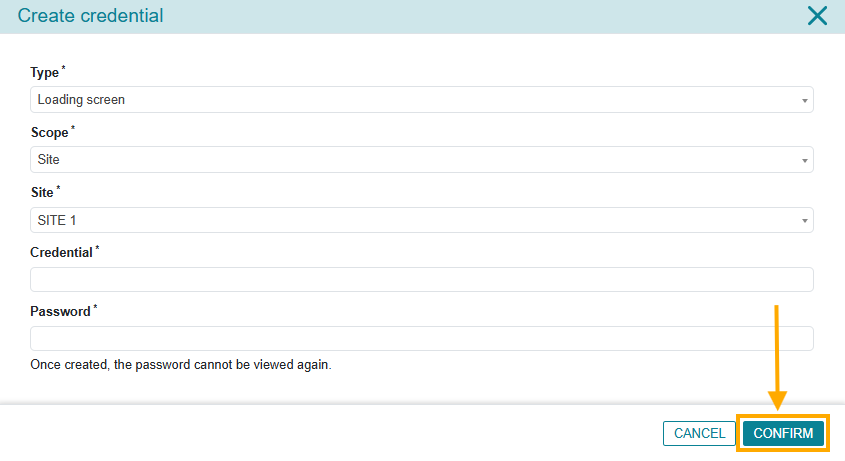
You can select the type, context and site and enter a username and password of your choice. The username does not necessarily have to be an email address.
Once you have finished configuring these credentials, click CONFIRM.
To set up the input that this new screen will display, please refer to our article: "Waiting room screen with advertising".