
UPDATE PARTS AVAILABILITY
The availability of parts can be entered in the job folder.
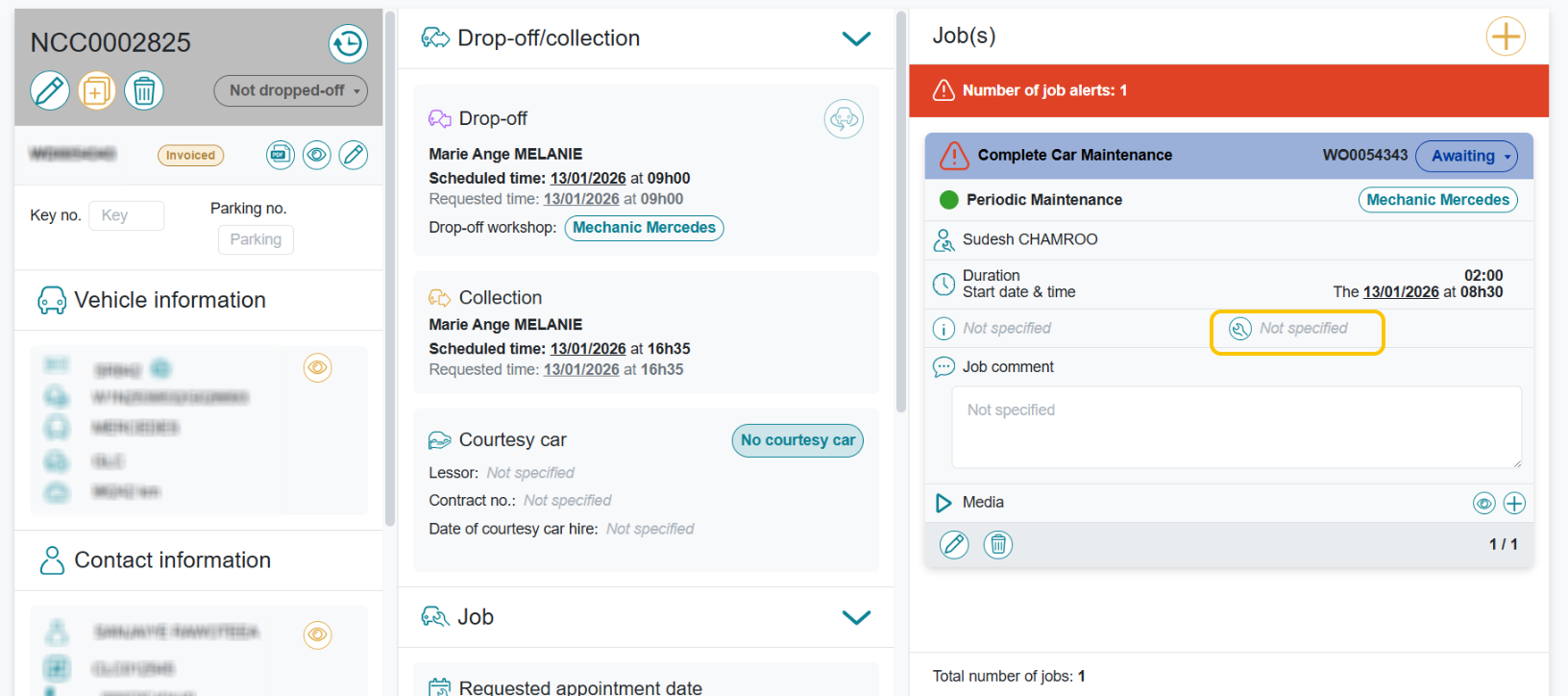
To do this, use the pencil button to edit. On the job page, click on the spanner and select the parts availability status.
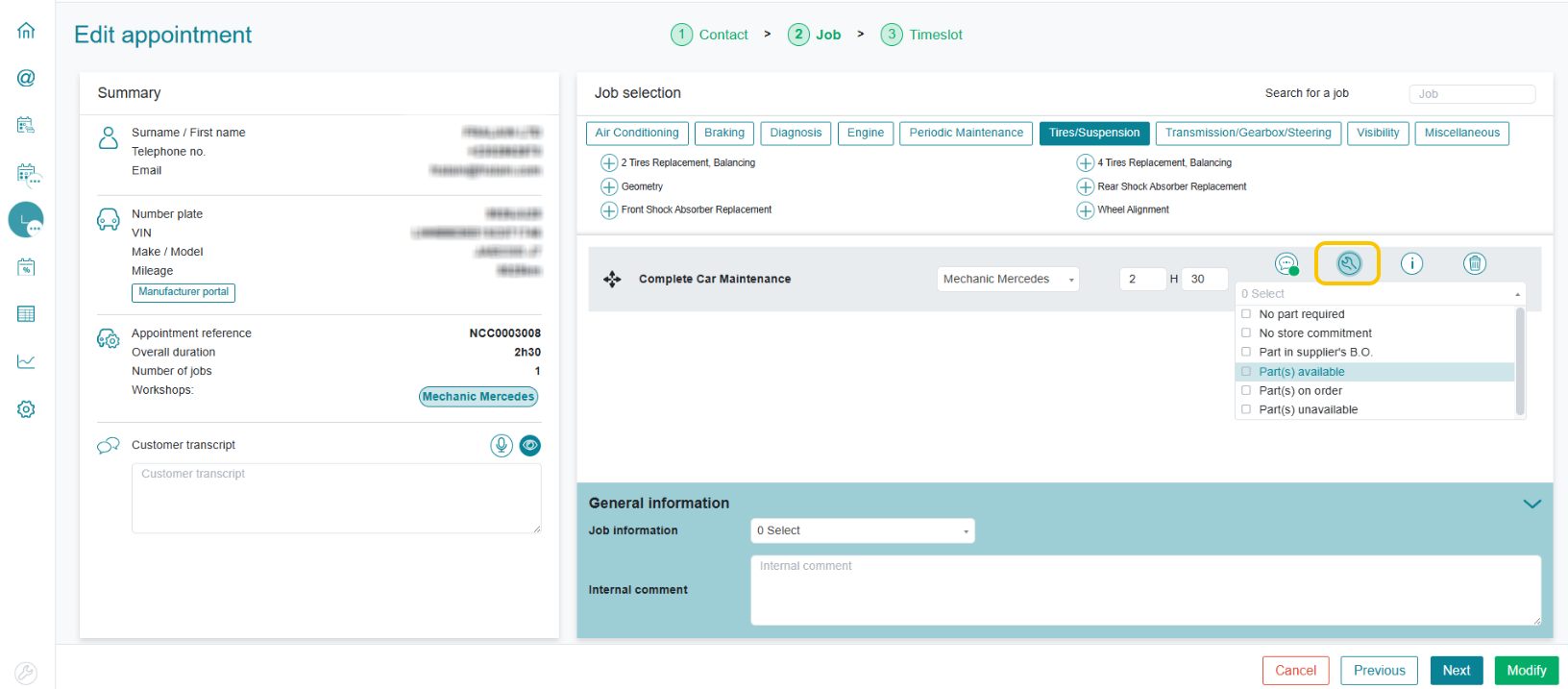
Once updated, the number of selected parts statuses is populated on the icon. This number is displayed in red.
Click on Modify, allowing you to bypass the choice of drop-off/pick-up slots.
Parts availability is defined per job, with the possibility to choose various statuses for each job.
CHECKING PARTS AVAILABILITY
FROM THE JOB SCHEDULE
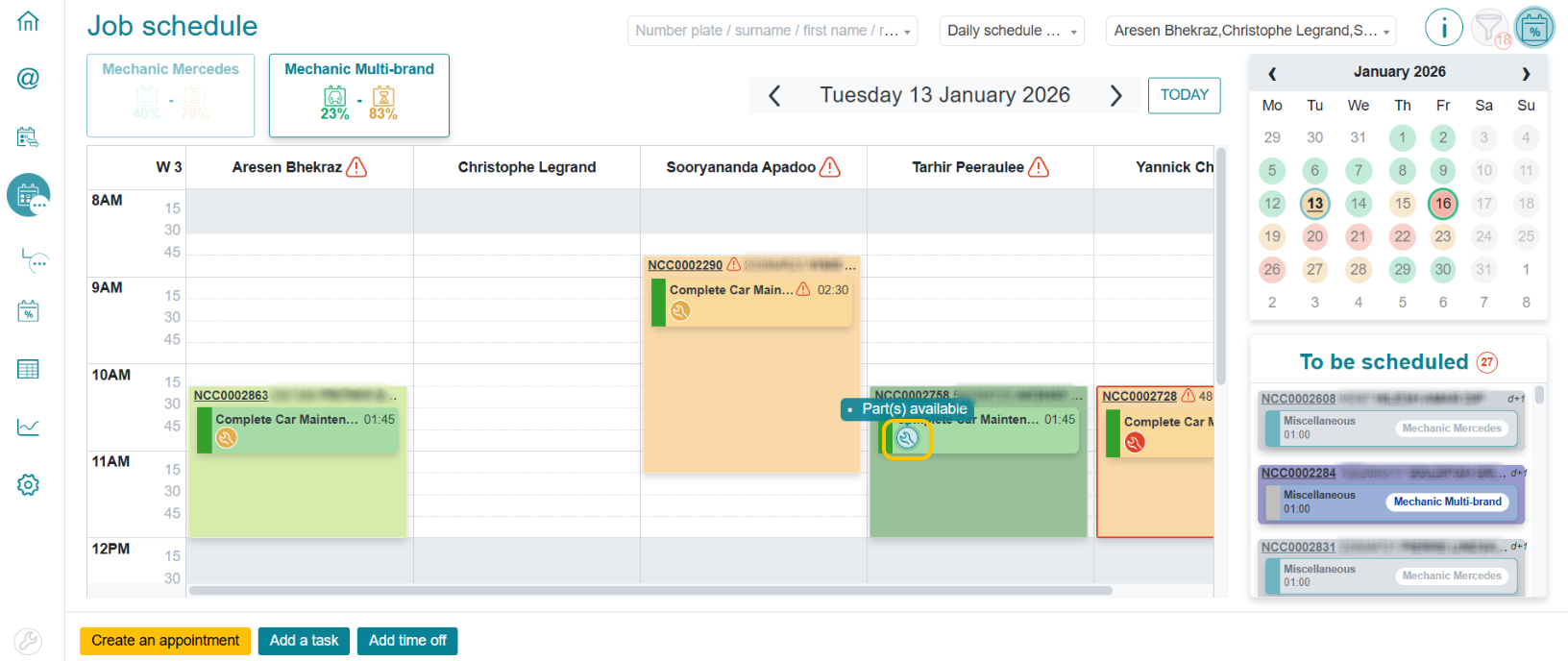
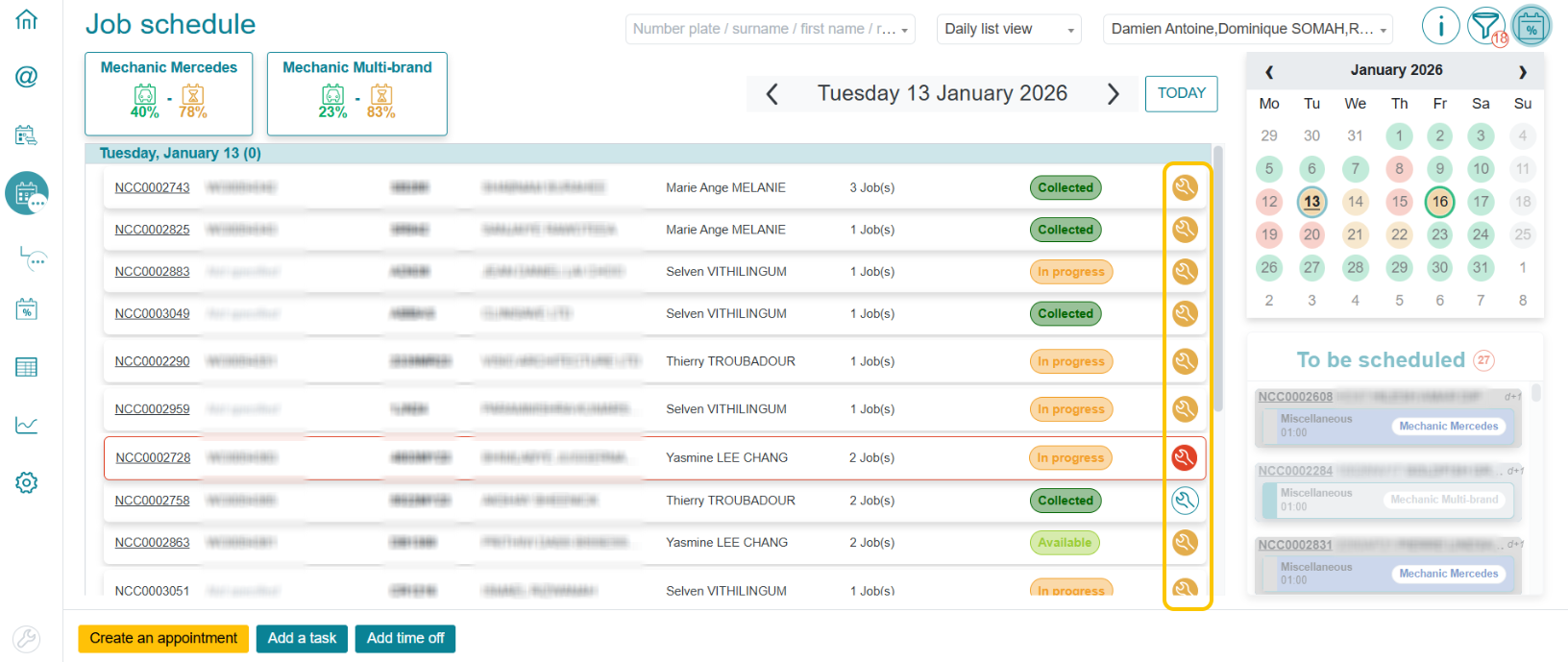
Once a job has been scheduled, you can check parts availability
(1) from the Planning view:
(2) from the List view:
FROM THE JOB FOLDER
Parts availability can be consulted from the folder
(1) via the folder mode:
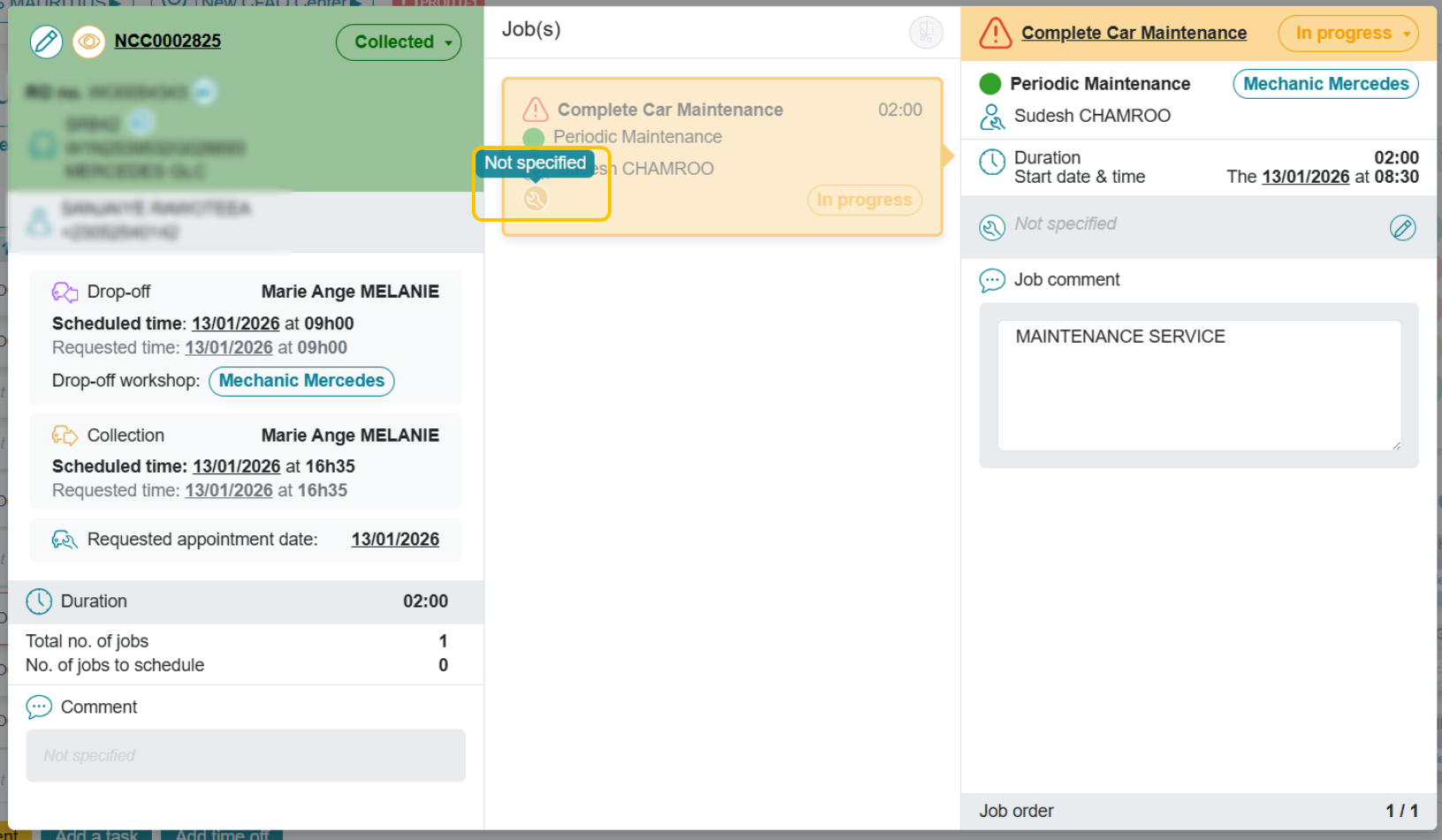
(2) via the folder itself:
In both cases, a tooltip allows you to view the parts availability status.